How to price your cards on Cardmarket: the price of your exact copy
Cardmarket shows a “From” price and a price trend on every card page. Both are one number for the whole card, and both can be far from what your copy is worth: “From” is simply the cheapest offer, whatever its language, condition or print.
Why “From” isn’t your price
- “From” is the cheapest offer of any copy on the page. A French copy in Played condition, a Dutch copy in Poor or a signed copy can set it.
- The price trend is a single figure for the whole card too, not one for your language and condition.
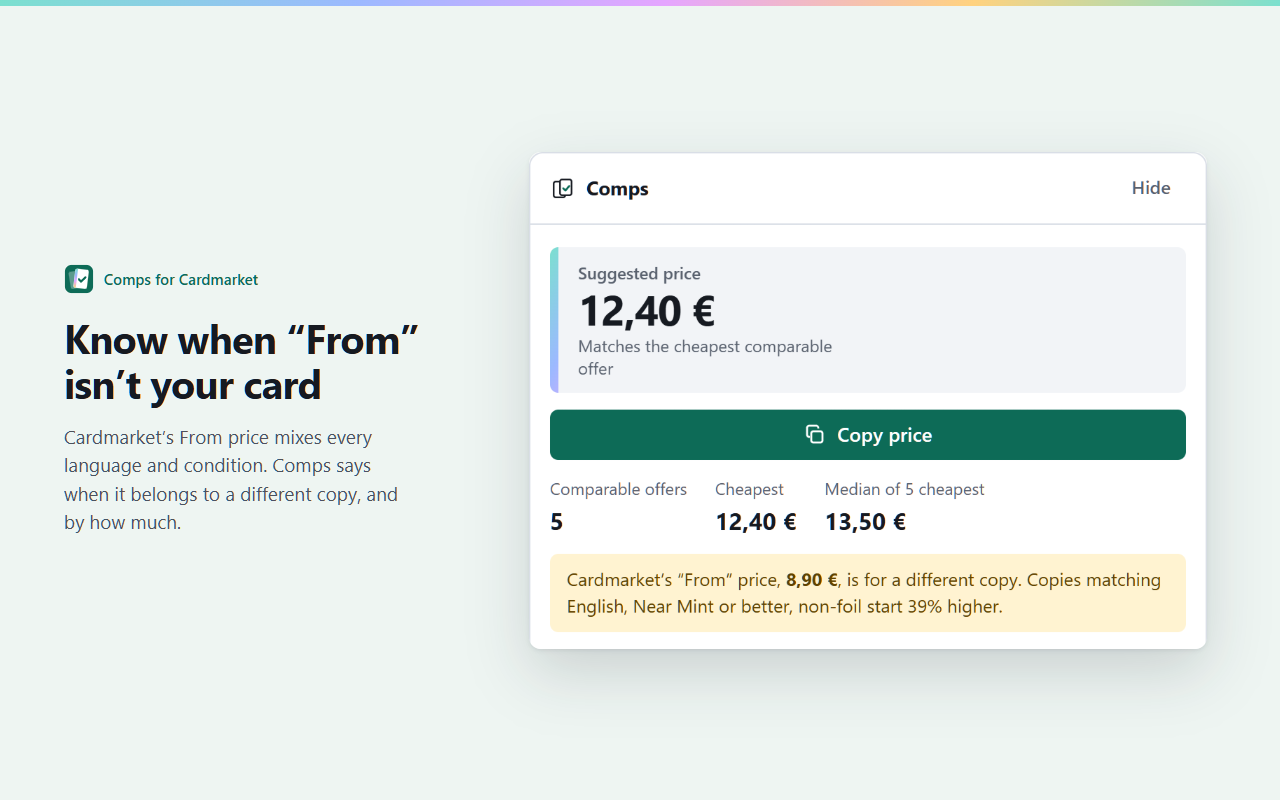
- Example: English Near Mint copies of a card start at 12,40 € while “From” shows 8,90 € for a French one in Played condition. Pricing from “From” would undersell your card by 28%, and that adds up over a whole collection.
Find the price of your exact copy by hand
- Open the card’s page and set Cardmarket’s filters: language, minimum condition, and foil, reverse holo or first edition where they apply.
- Leave out signed and altered copies, and your own offers if you’re signed in.
- Look at the cheapest offers that remain. The cheapest is your ceiling for a quick sale; the median of the five cheapest is a fair price if you can wait.
- Cardmarket lists the cheapest offers of any copy first, so matching ones can be further down. Load more offers before you decide.
Pricing tips
- Quick sale: list a little under the cheapest matching offer, for example 2%, and round down to .x9.
- Patient sale: list near the median of the five cheapest matching offers.
- Set a minimum per game, so cheap cards never sell below what shipping and fees make worthwhile.
- Recheck popular cards often: prices move after new sets and tournaments.
Do it in one click with Comps
Comps is a free Chrome extension that does all of this on every Cardmarket singles page. Above the offers it shows the cheapest offer matching your copy, the median of the five cheapest, how many there are and a suggested price to copy, and it warns you when “From” belongs to a different copy. It works in all five of Cardmarket’s languages and runs entirely in your browser, with no account. Pro, for sellers, adds your own pricing rule and presets.
 Add Comps to Chrome