Cardmarket price trend explained: From, trend and average prices
Cardmarket’s card pages show a “From” price, a price trend and average prices such as the 30-day average. They tell you roughly where a card stands. None of them is the price of your copy.
What each number is
- “From” is the cheapest offer on the page, whatever its language or condition. It moves when that offer sells or a cheaper one is listed.
- The price trend is a single figure for the whole card. Cardmarket doesn’t publish how it’s calculated, so read it as a rough level, not as a price.
- The average prices, such as the 30-day average, are averages over a period, as their names say. They are one number for the whole card too, and Cardmarket doesn’t say what goes into them.
- For Pokémon and One Piece, Japanese cards are listed on their own product pages, so a Japanese offer shouldn’t set “From” on the standard page.
Reading them together
- Trend far above “From”: the cheapest offer is often a different copy, in a worse condition or another language. Look at the offers for your copy before you follow “From” down.
- Trend and averages far apart: the figures are moving, for example after a new set or a tournament. Today’s offers matter more than the older figures.
- Few available items: one or two offers can move “From” a lot, so price from the offers themselves.
- Many available items and the figures close together: there are plenty of offers to compare, and the cheapest ones for your copy are a reliable guide.
Which number to price from
- None of them on its own. Filter the offers to your copy: language, minimum condition, and foil, reverse holo or first edition where they apply.
- Leave out signed and altered copies, and your own offers if you’re signed in.
- Take the cheapest matching offer as your ceiling for a quick sale, and the median of the five cheapest as a fair price if you can wait.
- Use the trend and the averages as a sanity check: if your price is far from them, look again at whether the matching offers are unusual.
Comps shows the number for your copy
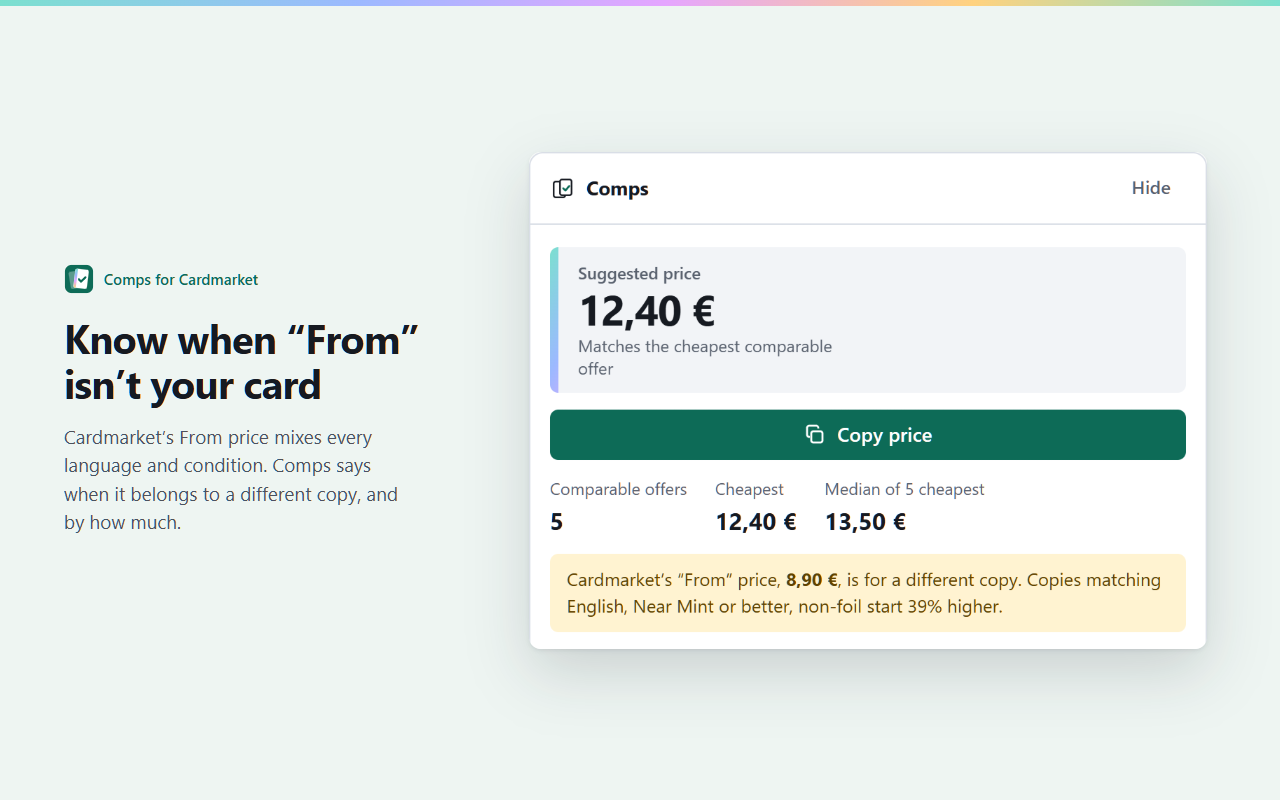
Comps is a free Chrome extension that does this on every Cardmarket singles page. Above the offers it shows the cheapest offer matching your copy, the median of the five cheapest, how many there are and a suggested price to copy, and it warns you when “From” is well below the price of your copy. It runs entirely in your browser, with no account. Pro, for sellers, adds your own pricing rule and presets.
 Add Comps to Chrome